How to Install Magento Theme
A theme provides a better look to your Magento ecommerce store. While the default theme in Magento would be better to start, but in order to make your store more popular, you need a better-looking theme with enhanced navigation and advanced options on its frontend. There are different types of free Magento themes available to choose from the Magento Commerce Marketplace.
Magento Theme Installation
For the purpose of installing theme, you need to follow below steps:
Step1:
After you have picked a new theme for your Magento store, now download its installation package by using the File Manager tool in your cPanel or over FTP.
Step2:
Now, extract the archive. After extraction, there will be two directories: app/ and pub/. Copy the app and pub folder in the root directory of your store.
Step3:
Connect to your account via SSH and run the commands as given below:
php bin/magento setup:upgrade
The above command would upgrade the Magento application, DB data, and schema. After that, execute the command below:
php bin/magento setup:static-content:deploy
Step4:
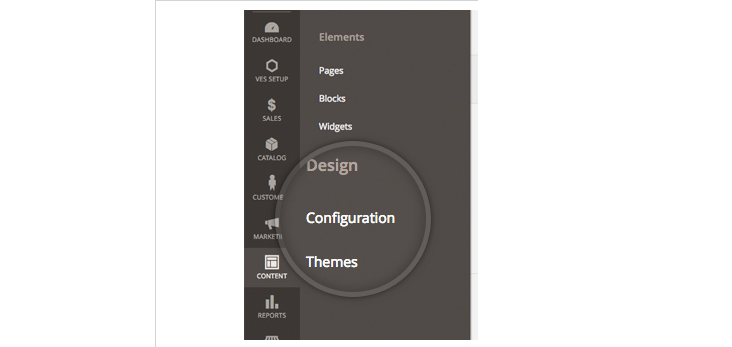
Now, login into the admin panel to apply the theme. Go to the Content menu > Design section > Configuration.
Step5:
Click on the Edit button that is next to Main Website Store – Default Store View.
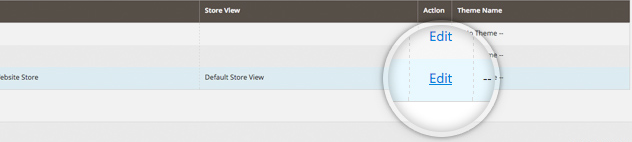
It will redirect you to the Default Store View edit screen.
Step6:
Now choose the newly uploaded theme from the Applied Theme drop down and then click on Save configuration.

Finally, new theme has been successfully activated now.